Asks first
Nook notices likely meetings in Zoom, Teams, Meet, FaceTime and the rest, then waits for your answer. Detection never starts a recording, and macOS recording indicators are never hidden.
Nook is a local-first meeting notebook for the Mac. It notices a call, asks before it records, keeps live captions beside the camera, and leaves you a plain Markdown note. Nothing joins the call. Nothing leaves this Mac.
macOS 26 or laterSigned and notarizedFree and open sourceNo account
Nook notices likely meetings in Zoom, Teams, Meet, FaceTime and the rest, then waits for your answer. Detection never starts a recording, and macOS recording indicators are never hidden.
Speech recognition and summaries run on device with Apple's frameworks. There is no Nook server, no meeting bot, no account and no telemetry.
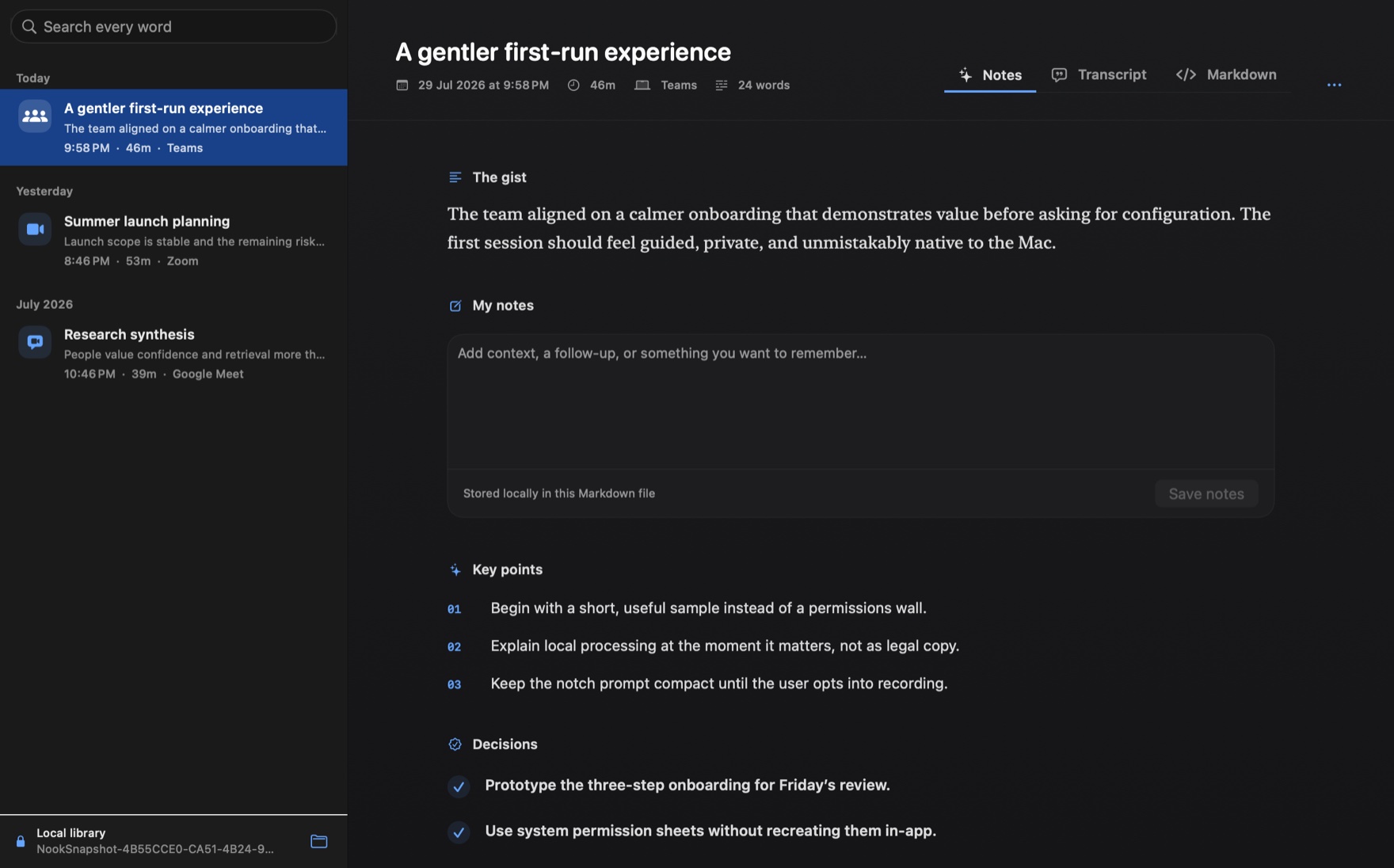
Every meeting becomes a readable file in a folder you choose: summary, key points, decisions, action items, your notes and a timestamped transcript.
During the meeting
The top panel sits at the display edge, so you can follow the conversation without looking away from the people in it. Expand it into a full workspace whenever you want more room.
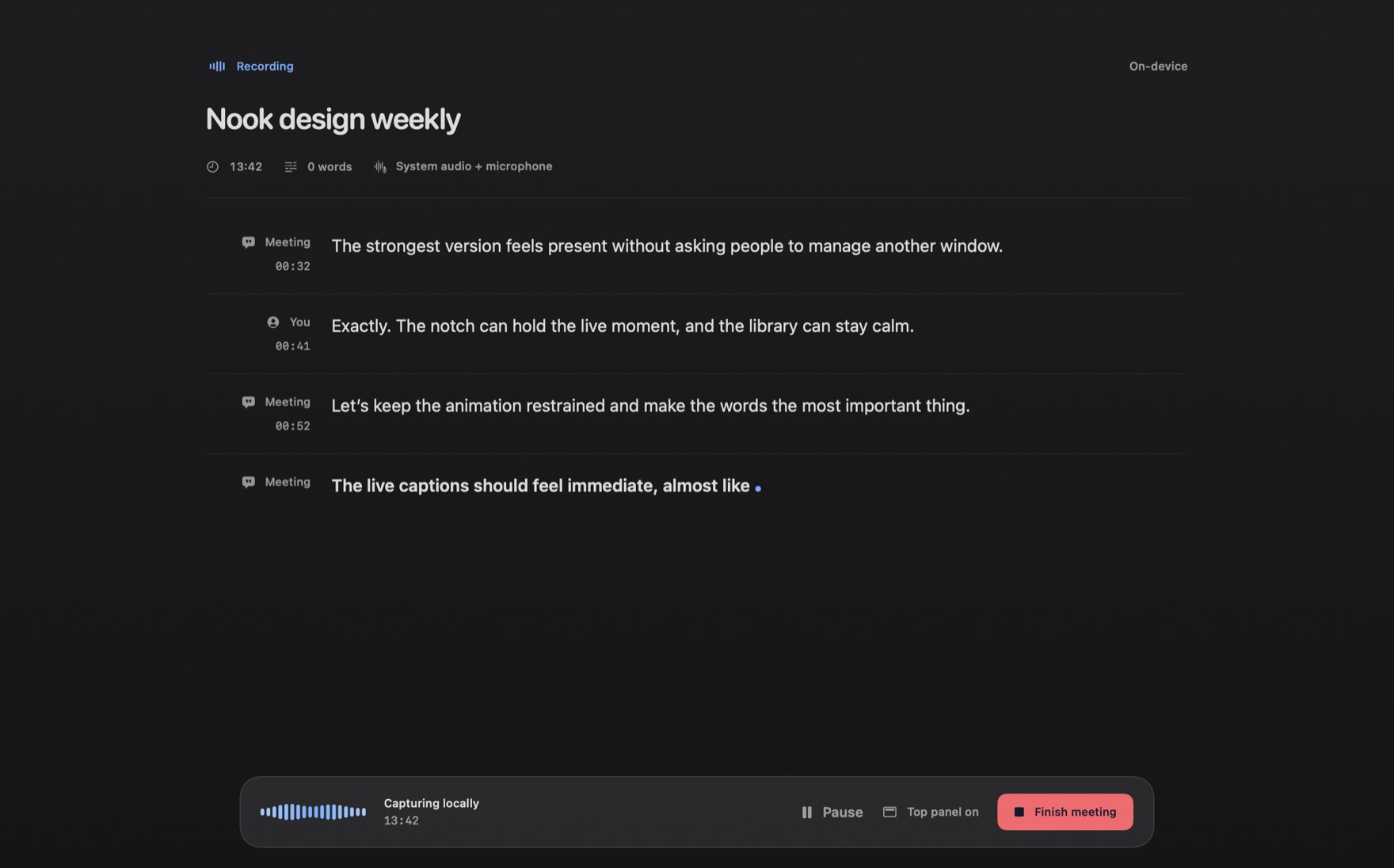
Only settled words reach the transcript, labelled as you or the meeting. Recent lines stay in view instead of vanishing.
Refresh a summary of the conversation so far whenever you need to catch up, generated locally.
Type into My notes in the panel, or detach them into a small floating window. They save into the same file.
Press ⌥⌘F when something matters. Flags appear in the note as jumps into the transcript, with playback if audio is kept.
Nothing is captured while paused. Finish from the panel, the menu bar, the Dock, or a shortcut of your choosing.
Optionally let Nook read your calendar so a meeting is named after its event, with one quiet notification before it starts.
Notices meetings inZoomMicrosoft TeamsGoogle MeetFaceTimeWebexSlack huddlesAroundWhereby
Anything else playing on your Mac can be recorded by hand, from the menu bar or with ⇧⌘R.
After the meeting
Nook writes ordinary Markdown into a folder you choose. Read it in Nook's library, in any editor, or in ten years. Edit the source directly, and Nook keeps up.
---
kind: meeting
title: "Summer launch planning"
started: 2026-09-01T08:08:00+10:00
source: "Zoom"
moments: 812.4
---
# Summer launch planning

## Summary
Launch scope is stable. The remaining risk is the
onboarding copy, which needs a pass before Friday.

## Key points
- Ship the first-run flow with three steps, not five.
- Keep the permissions ask until the first recording.

## Decisions
- Launch on 18 September.

## Action items
- [ ] Priya revises the onboarding copy [due: 2026-09-04]
- [x] Book the launch review

## My notes
Ask design about the empty state.

## Transcript
- **[00:32]** **Meeting:** We are stable on scope. The only open question is the first-run copy.
- **[00:41]** **You:** I can have a draft by Thursday.
Unfinished items from every note, soonest deadline first. Tick one off in place, give it a due date, or send it to Reminders.
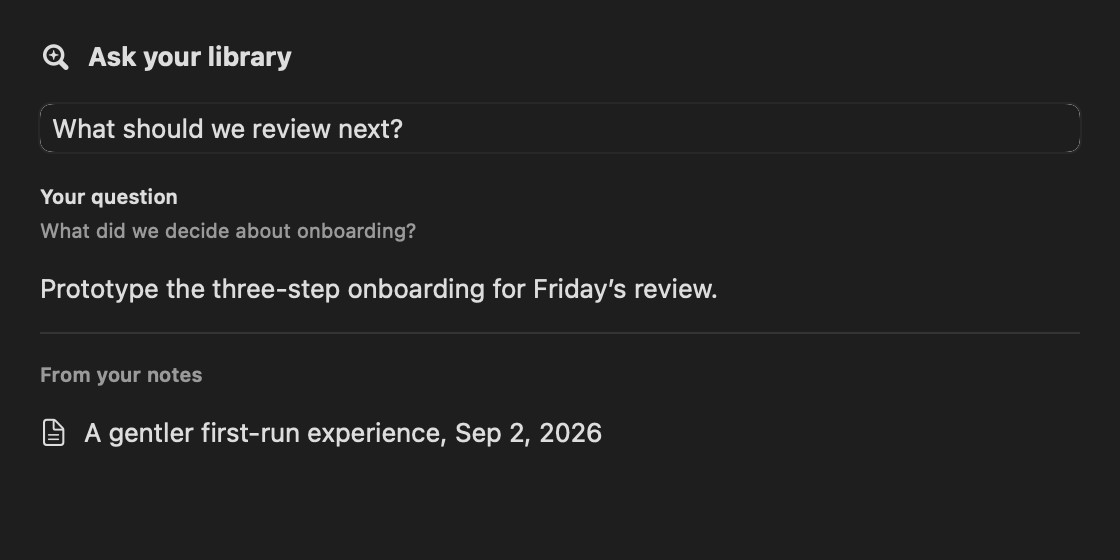
Ask a question and get an answer drawn only from your own notes, citing the meetings it used. Weak matches are refused, not guessed.
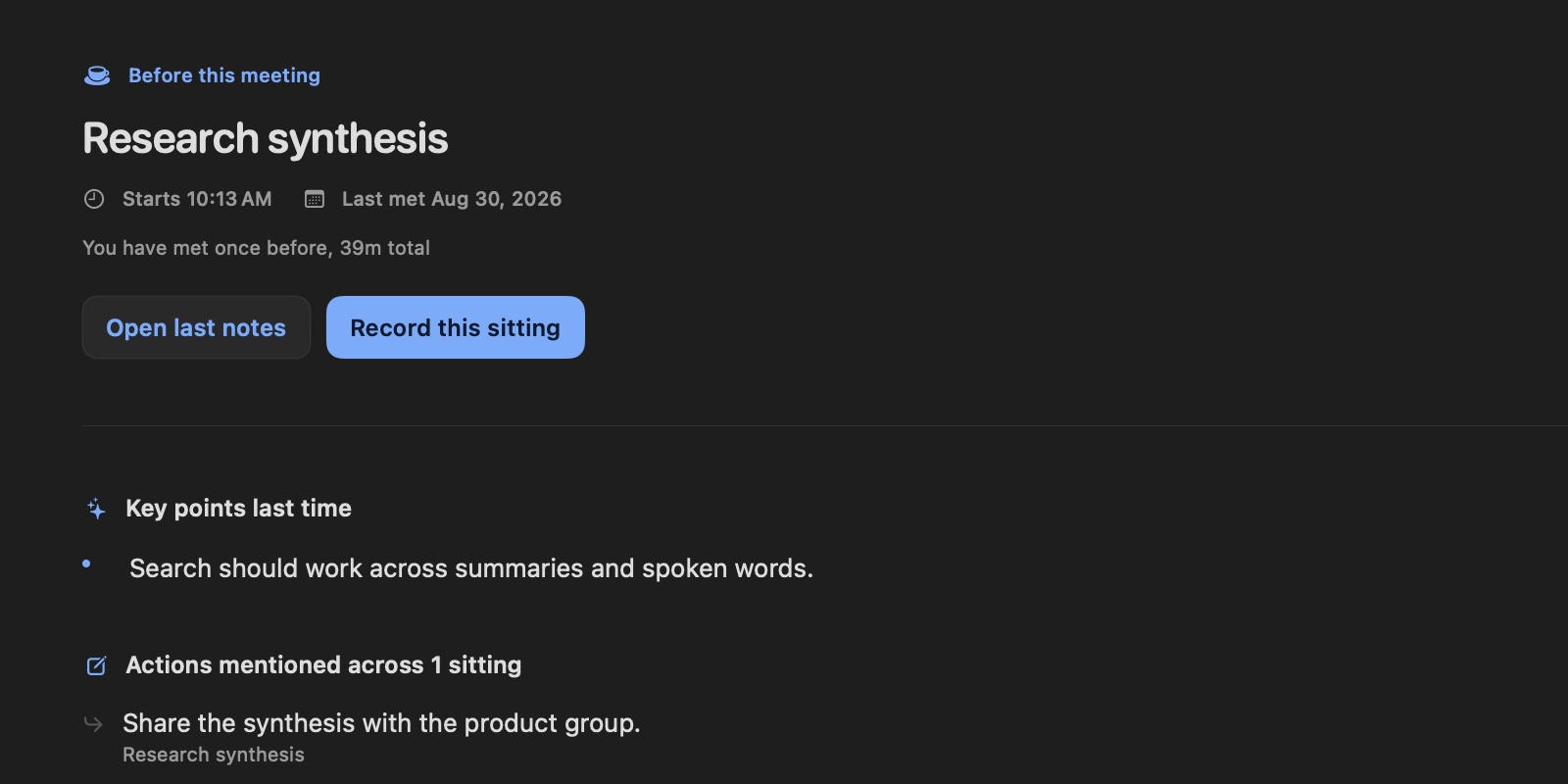
Before a meeting you have had before, Nook gathers the last decisions, key points and open actions from that series.
Compile the last seven days into one note: real counts, real conversation time, and every decision deduplicated.
Record into an existing note or merge two. One continuous transcript, with the gap between sittings visible.
Keep the audio and every transcript line gets a play button. Flagged moments jump straight to the recording.
Long meetings are condensed in passes with progress shown. Figures are checked against the transcript, and you can regenerate at any time.
⌘K reaches any note or command. Every shortcut can be rebound, and Shortcuts actions cover start, pause, finish and latest note.
Unfinished writing has local recovery checkpoints. Interrupted recordings appear in the library with Recover, Reveal and Delete.
Anywhere on your Mac
The same on-device transcription works outside meetings. Dictate into whatever you are already typing in, or catch a thought when there is nowhere to put it. Both are off until you turn them on.
Hold your shortcut and speak. Settled words appear where your cursor already is, in a message, a search box or a document, while a small indicator by the pointer shows what Nook is hearing. Choose how much it tidies, overall or per app.
| Verbatim | Every word as spoken. |
|---|---|
| Clean up Default | The same words, minus hesitations and stutters. Nothing else changes. |
| Polish | The same meaning, rewritten as clear written sentences. |
| Custom | The same meaning, following an instruction you write yourself. |
A rewrite is proposed, not trusted. Every rewrite is checked against what you said. If it drifts, your own words are typed instead, so a question you dictate is written down rather than answered. Dictation never types into a password field.
Press the same shortcut with no text field focused and a small pad opens instead. Speak or type, and it saves as Markdown in your notes folder, named from what you said.
Privacy is the architecture
Nook is a native Mac app, not a meeting participant. It listens to audio already on your computer, understands it on device, and writes the result to a local folder. This is the whole data path.
Recording laws vary. You are responsible for consent from everyone in the conversation. Read the full privacy description.
Built like a Mac app
Free, open source and made for macOS 26. Generated summaries use Apple Intelligence. Without it, Nook still transcribes and writes a deterministic summary.
shasum -a 256 Nook.zip